
技术知识
EMC VMAX 标识故障驱动器的 Location
Having completed a VMAX ‘Health Check’ through ‘Unisphere’ it has been highlighted that a drive has failed:

Running the command symdisk list -failed will display the details of the failed disk (-v for more detail):

You can also check if the failed disk has been spared out by issuing the command symdisk list -isspare:

Determining the Drive Location based on the information provided:

‘Ident/Symb’ = ‘9B’ identifies the Director and the MOD that the drive is connected to at the Back-End. Thus we can gather at this stage that the drive is connected to Director 9 (Engine5).
On both directors of Engine5(9&10) there are two Back-End IO modules (MOD0 & MOD1) per director, MOD0 has connections A0,A1,B0,B1 and MOD1 has connections C0,C1,D0,D1. MOD0 on both the even and odd directors connect to DAE’s 9,13,10,14 with MOD1 on both directors connecting to DAE’s 11,15,12,16. The 8 Redundant Loops on Engine5 connect up as follows:
DAE9=LOOP0 (A0)
DAE10=LOOP2 (B0)
DAE11=LOOP4 (C0)
DAE12=LOOP6 (D0)
DAE13=LOOP1 (A1)
DAE14=LOOP3 (B1)
DAE15=LOOP5 (C1)
DAE16=LOOP7 (D1)
‘Int’ = ‘C’ stands for interface, this is the port used on the MOD.
C = Port 0
D = Port 1
Thus far we can determine that the Drive is located on LOOP2 (9B 0).

‘TID’ = ‘1’ refers to the target ID, or the disk location on the Loop.
From all this information we can determine that the location of the Failed drive (‘9B 0 1’) is ‘Drive Bay-1A, DAE-10, Disk-01’:
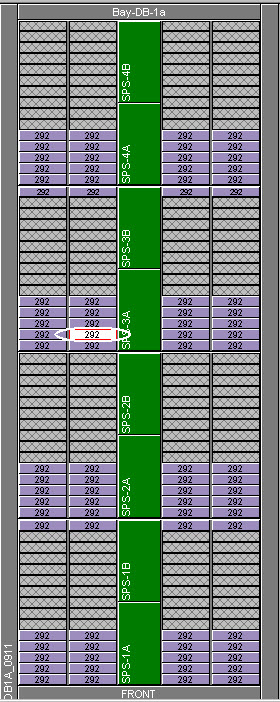
If you have access to SymmWin then you can Toggle the disk LED: